
Pre-orders, deposits and back in stock for Shopify
Keep selling when you're sold out.
SMART Preorder & Back in stock turns sold-out and coming-soon products into pre-orders, takes a deposit now and charges the balance later, and builds Notify me waitlists that get an email when stock is back. Payment rules for checkout are included.
Free on the Shopify App Store · no app fee · support by chat or email
What it does
One app for selling before, during and after a stockout.
Pre-orders
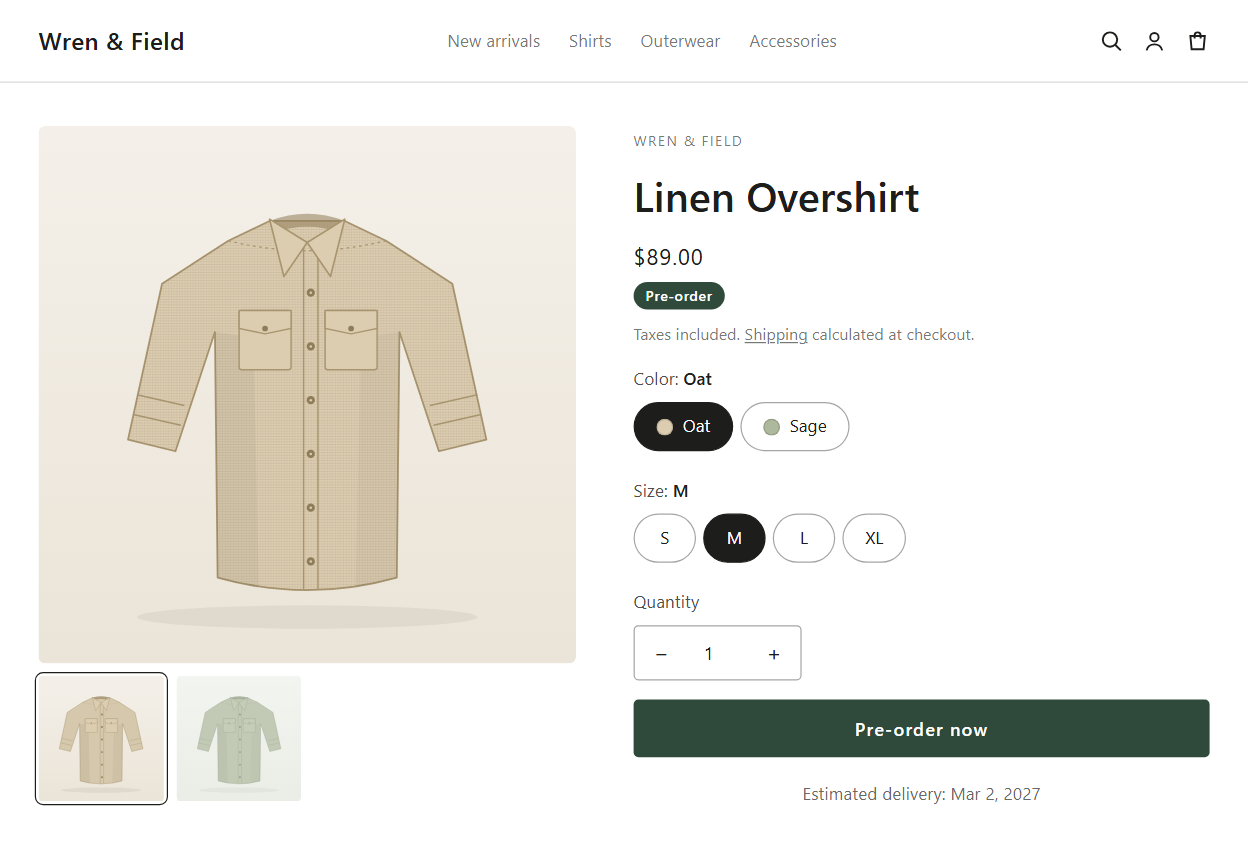
Pre-order and presale campaigns with the button, badge, shipping message and countdown on your product pages, limits, and markets.
Learn more →Deposits and partial payments
Take a deposit or nothing at checkout and charge the balance automatically later, on Shopify's own deferred payments.
Learn more →Back in stock alerts
A Notify me form on sold-out products, a waitlist you can see and export, and restock emails when inventory returns.
Learn more →Payment rules
Hide, sort and rename payment methods at checkout by country, cart total, products, customer tags and more.
Learn more →Deposits and partial payments
Deposit now, balance later.
Let shoppers reserve with a deposit, or pay nothing up front. The card is saved at checkout and the app charges the balance on a date, after a set number of days, or when you fulfill, with automatic retries and a payment link if a charge fails.
How it works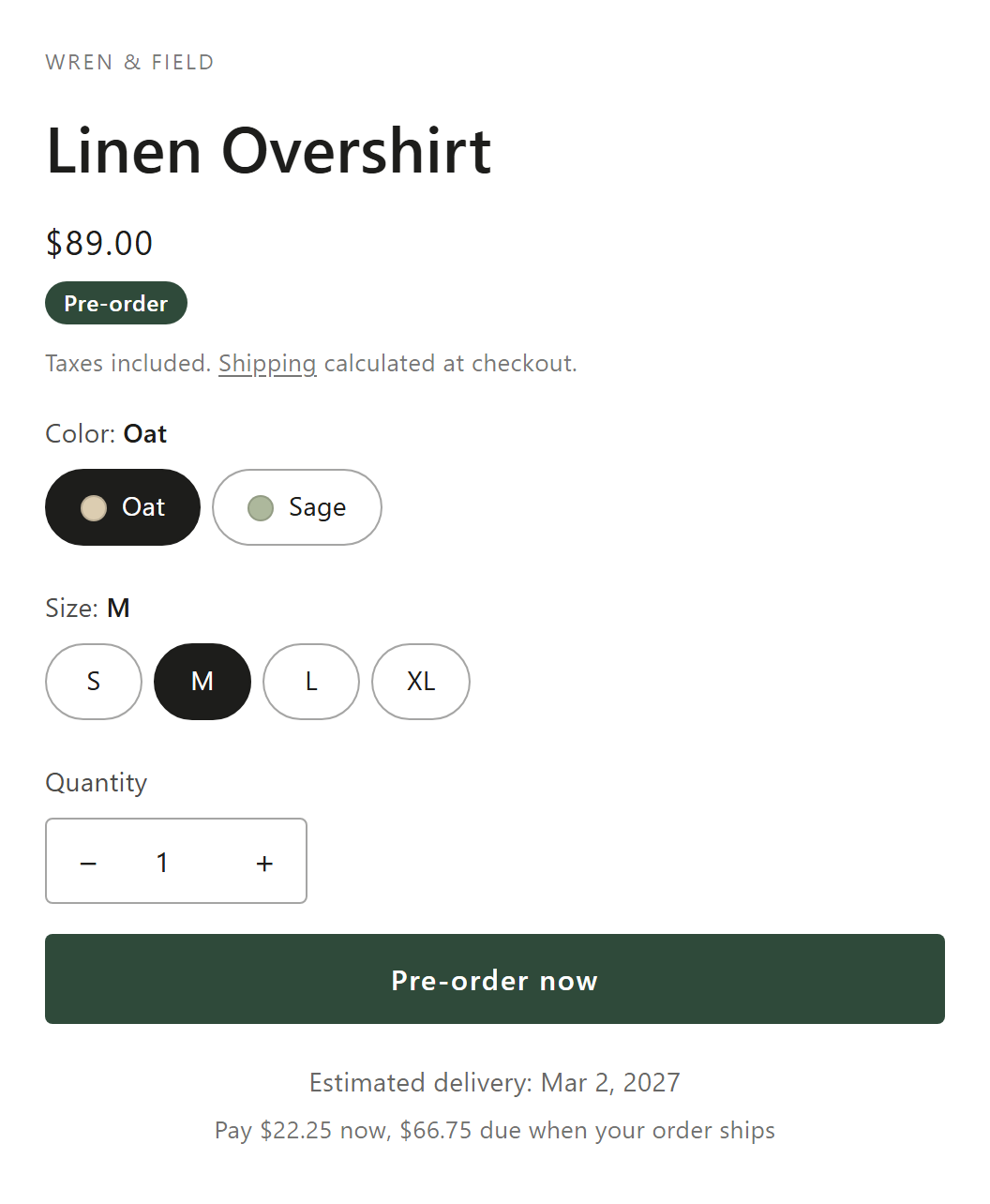
Back in stock alerts
Turn sold out into a waitlist.
A Notify me form replaces the dead end on sold-out products. Shoppers leave their email, you see the waitlist, and a restock alert goes out when inventory is back.
How it works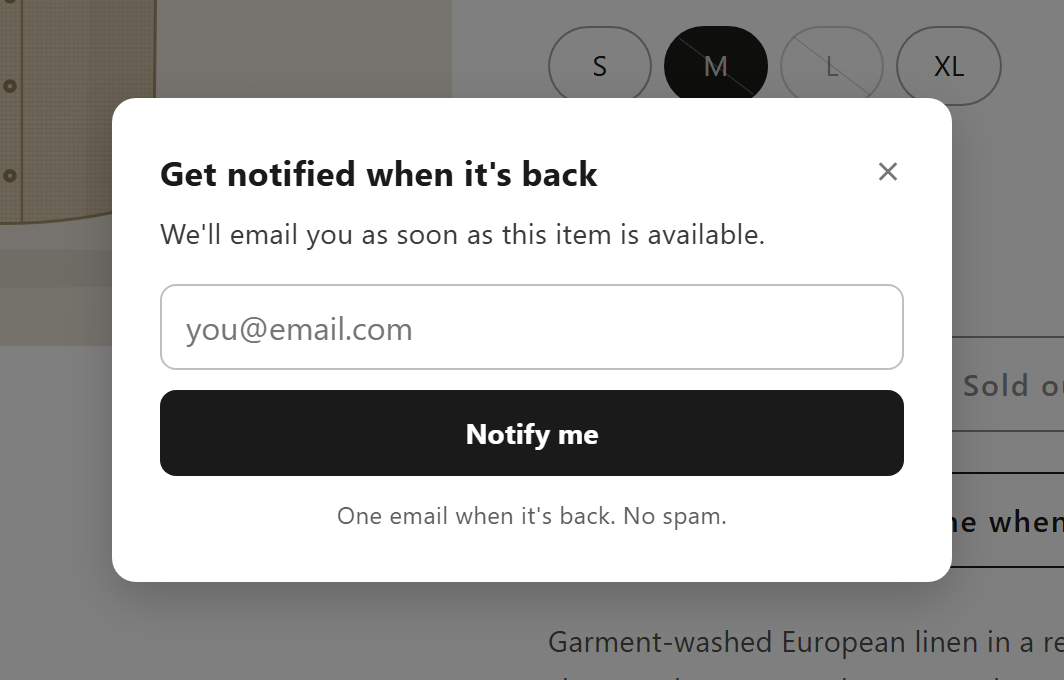
Payment rules
Control the payment step.
Hide, sort and rename payment methods at checkout with rules, for example cash on delivery only in some countries or below a cart total.
How it works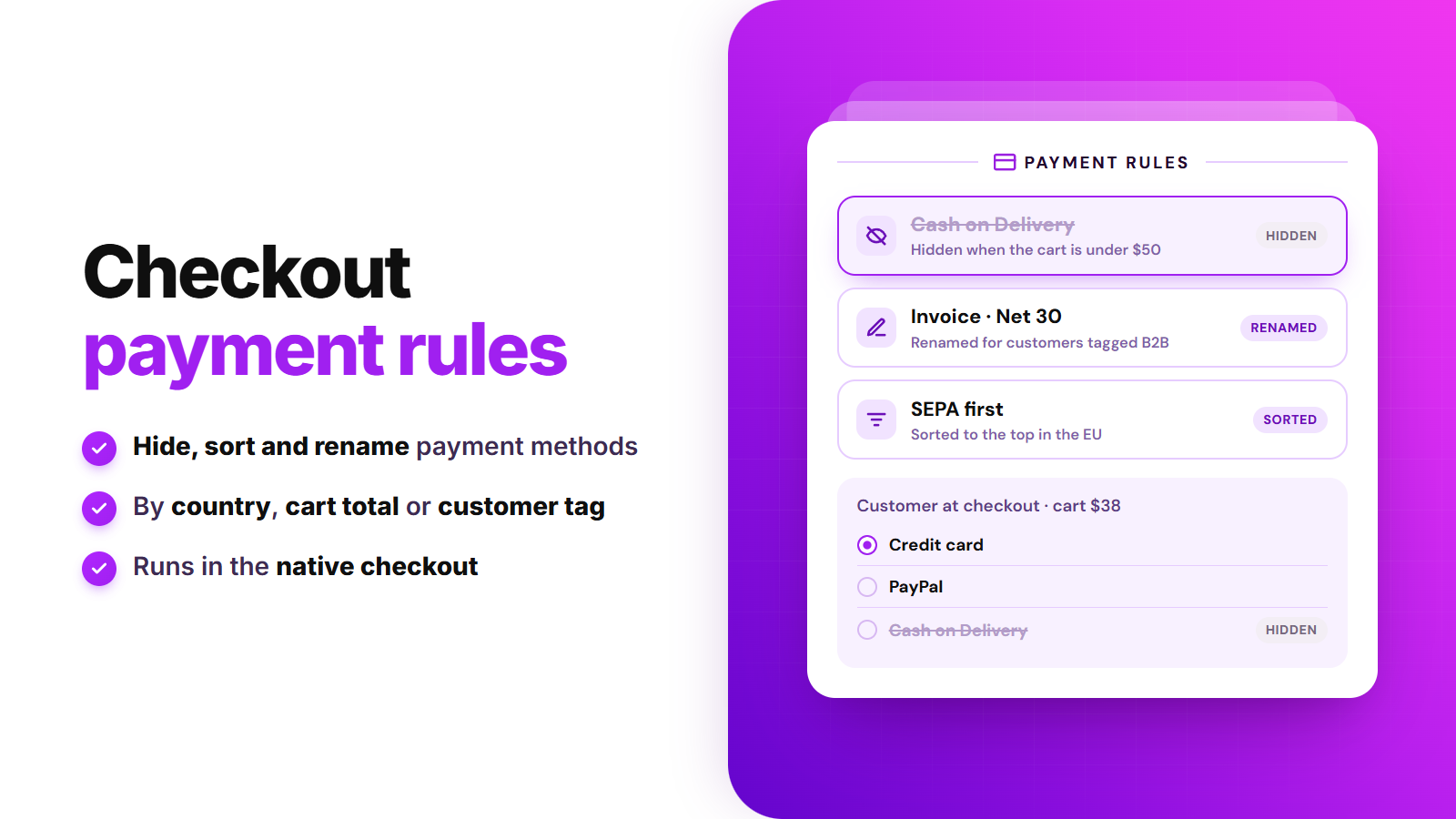
Start here
Set up your first pre-order
- How do I set up a pre-order campaign on Shopify?
- How do I choose which products and variants are on pre-order?
- How do I customize the Pre-order button, badge and countdown?
- How do I take a pre-order deposit and charge the balance later?
- How are pre-order balances charged, and what if a charge fails?
- How do I limit how many units can be pre-ordered?
Everything else is in the help center.
Comparing pre-order apps?
Side-by-side with STOQ, Essential, Rez, Timesact and Notify Me, with sources and the date we checked.
What's new
Notify me on older themes. See every change in the changelog.
Sold out shouldn't mean lost sales.
Install SMART Preorder & Back in stock, set up a pre-order or a Notify me form, and keep taking orders while you restock.
Install free on ShopifyOn the Shopify App Store · uninstall anytime